Turning a Raspberry Pi into an FM Radio Transmitter
The Problem
I bought a radio alarm clock for my bedroom. The goal was simple: get my phone out of there. Less doom-scrolling before bed, no “just one more video” at 1 AM, and an actual separation between rest and that attention-sucking rectangle we all carry around.
The plan worked, mostly. Except I live in a bit of a ditch, and FM reception here is garbage.
The Solution
I had a Raspberry Pi Zero 2W collecting dust. While looking for something to do with it, I stumbled upon PiFmRds, a project that turns the Pi into an FM transmitter. No extra hardware required, just a ~20cm wire connected to GPIO 4 as an antenna.
I was skeptical. Surely you can’t just… broadcast FM from a bare Pi? Turns out you can. The Pi generates the FM signal by abusing its clock generator to output a frequency in the FM band. It’s a clever hack that shouldn’t work as well as it does.
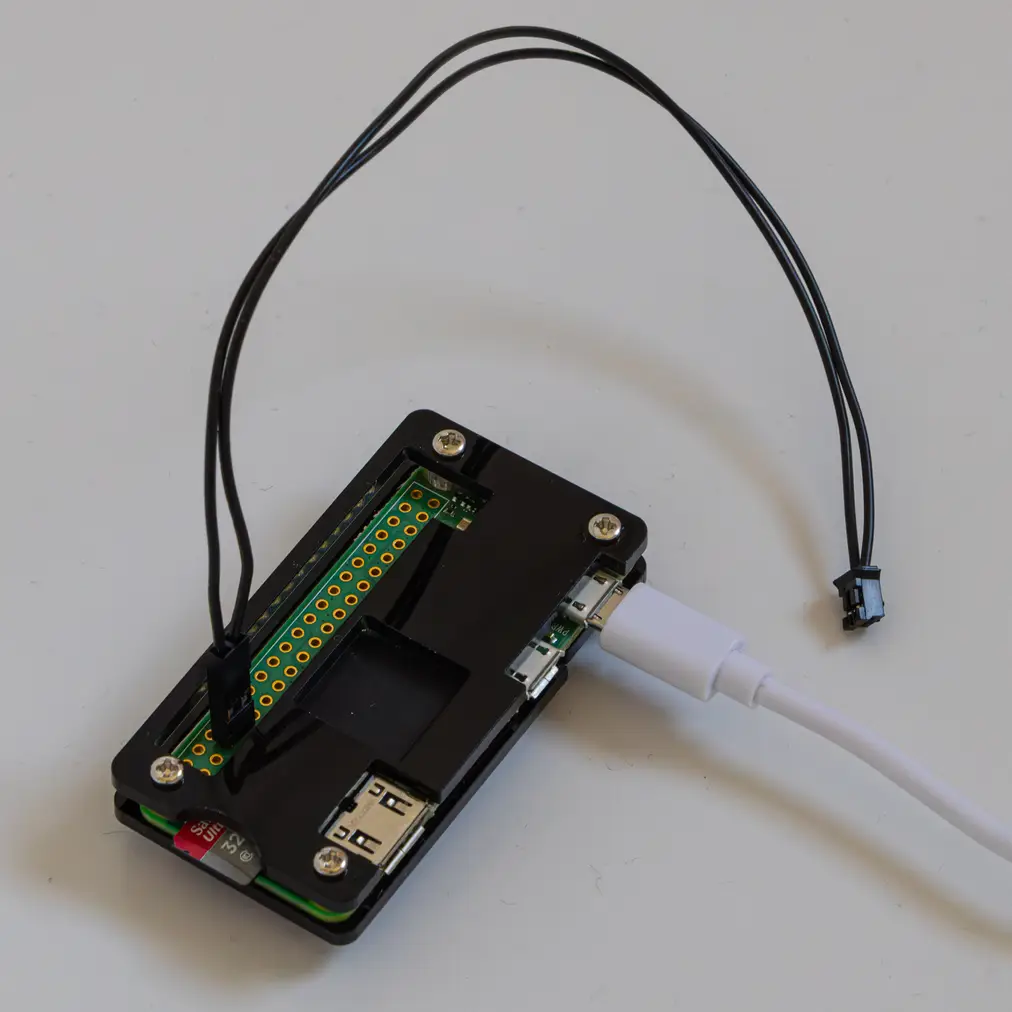
The Project
I wrapped PiFmRds into a more complete solution: a systemd service that streams internet radio and broadcasts it over FM, with automatic reconnection when streams drop.
The pipeline is simple:
curlfetches an internet radio streamsoxconverts it to mono WAV at 44.1kHzpi_fm_rdsbroadcasts the audio on your chosen FM frequency
Configuration lives in /etc/fm-radio/config where you set the stream URL, broadcast frequency, and RDS metadata (station name and radio text that shows up on compatible receivers).
Web UI
I also built a web interface so I can manage everything from my phone. It lets you:
- Change the stream URL and FM frequency
- Set RDS station name and radio text
- Save station presets for quick switching
- Start, stop, and restart the service
- View live logs
Range
This surprised me the most. I expected maybe a few meters, enough to reach the bedroom.
Driving away from my house one day, I tuned into the frequency out of curiosity. I could still hear it clearly 200 meters down the road. The 20cm antenna wire apparently does more than I gave it credit for.
Note
FM transmission is regulated in most countries. Keep the power low and don’t interfere with legitimate broadcasts. This is meant for personal, short-range use.
The Setup
git clone https://github.com/woulve/pifmwebradio.git
cd pifm-webradio
sudo ./install.sh
The web UI at http://<pi-ip>:8080 handles all configuration, or edit /etc/fm-radio/config directly if you prefer.
Final Thoughts
There’s something satisfying about repurposing old hardware. The Pi Zero 2W went from a drawer to being genuinely useful.
I tried various stations, but ended up settling on a 1920s-style webradio stream. The vinyl crackling, the bandwidth limitations of the era, and the tinny speakers of the cheap alarm clock just pair well together. I sometimes let it play as I fall asleep.
Sometimes the best projects are the ones that solve a small, specific problem you didn’t think had a solution.